Template base em modo dark com Bootstrap 5
Vantagens de usar um template base em modo dark com Bootstrap 5
Começar um projeto do zero exige tempo e atenção a detalhes de design e usabilidade. Ao utilizar um template base em modo dark com Bootstrap 5, o desenvolvedor ganha produtividade desde o início, já contando com uma estrutura moderna, responsiva e visualmente agradável.
https://www.codesnippets.dev.br/ferramentas/formulario-dark
O modo escuro vem se tornando padrão em diversas aplicações por reduzir o cansaço visual e oferecer uma estética mais atual. Com um template pronto, não é preciso gastar horas ajustando cores e contrastes: tudo já está otimizado para entregar uma experiência consistente.
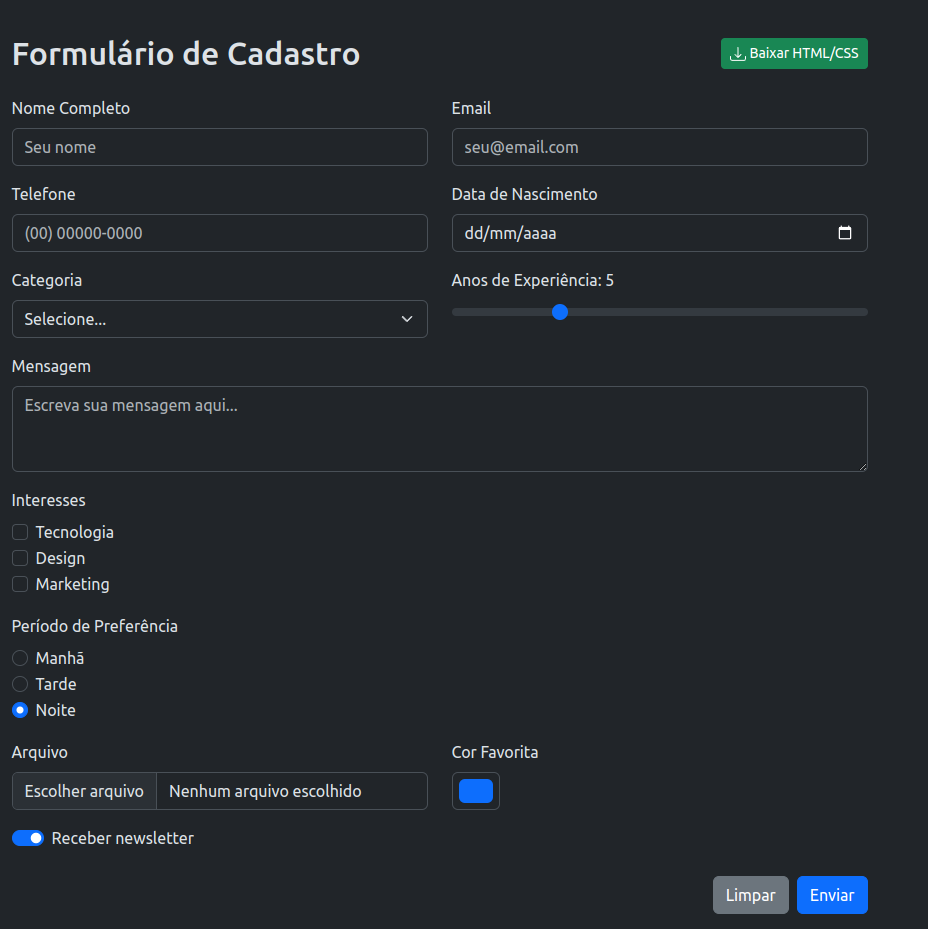
Outro ponto forte está nos principais elementos de formulário já incluídos. Inputs, selects, checkboxes, radios e botões seguem o mesmo padrão visual, garantindo uniformidade e poupando tempo de implementação. Assim, o desenvolvedor pode se concentrar na lógica de negócio em vez de retrabalhar componentes básicos.
Por fim, um template estruturado em Bootstrap 5 facilita a manutenção e personalização. É possível expandir e adaptar conforme as necessidades do projeto, sem perder a base sólida que garante responsividade e boas práticas de UI.
Fonte
<!DOCTYPE html>
<html lang="pt-BR" data-bs-theme="dark">
<head>
    <meta charset="UTF-8">
    <meta name="viewport" content="width=device-width, initial-scale=1.0">
    <title>Formulário Dark Mode</title>
    <link href="https://cdnjs.cloudflare.com/ajax/libs/bootstrap/5.3.2/css/bootstrap.min.css" rel="stylesheet">
</head>
<body class="bg-dark">
    <div class="container py-5">
        <div class="row justify-content-center">
            <div class="col-lg-8">
                <div class="d-flex justify-content-between align-items-center mb-4">
                    <h2 class="mb-0">Formulário de Cadastro</h2>
                    <button onclick="downloadFiles()" class="btn btn-success btn-sm">
                        <svg xmlns="http://www.w3.org/2000/svg" width="16" height="16" fill="currentColor" class="bi bi-download" viewBox="0 0 16 16">
                            <path d="M.5 9.9a.5.5 0 0 1 .5.5v2.5a1 1 0 0 0 1 1h12a1 1 0 0 0 1-1v-2.5a.5.5 0 0 1 1 0v2.5a2 2 0 0 1-2 2H2a2 2 0 0 1-2-2v-2.5a.5.5 0 0 1 .5-.5z"/>
                            <path d="M7.646 11.854a.5.5 0 0 0 .708 0l3-3a.5.5 0 0 0-.708-.708L8.5 10.293V1.5a.5.5 0 0 0-1 0v8.793L5.354 8.146a.5.5 0 1 0-.708.708l3 3z"/>
                        </svg>
                        Baixar HTML/CSS
                    </button>
                </div>

                <form>
                    <!-- Nome e Email -->
                    <div class="row mb-3">
                        <div class="col-md-6">
                            <label for="nome" class="form-label">Nome Completo</label>
                            <input type="text" class="form-control" id="nome" placeholder="Seu nome">
                        </div>
                        <div class="col-md-6">
                            <label for="email" class="form-label">Email</label>
                            <input type="email" class="form-control" id="email" placeholder="seu@email.com">
                        </div>
                    </div>

                    <!-- Telefone e Data -->
                    <div class="row mb-3">
                        <div class="col-md-6">
                            <label for="telefone" class="form-label">Telefone</label>
                            <input type="tel" class="form-control" id="telefone" placeholder="(00) 00000-0000">
                        </div>
                        <div class="col-md-6">
                            <label for="data" class="form-label">Data de Nascimento</label>
                            <input type="date" class="form-control" id="data">
                        </div>
                    </div>

                    <!-- Select e Range -->
                    <div class="row mb-3">
                        <div class="col-md-6">
                            <label for="categoria" class="form-label">Categoria</label>
                            <select class="form-select" id="categoria">
                                <option selected>Selecione...</option>
                                <option value="1">Desenvolvedor</option>
                                <option value="2">Designer</option>
                                <option value="3">Gerente</option>
                            </select>
                        </div>
                        <div class="col-md-6">
                            <label for="experiencia" class="form-label">Anos de Experiência: <span id="expValue">5</span></label>
                            <input type="range" class="form-range" id="experiencia" min="0" max="20" value="5" oninput="document.getElementById('expValue').textContent = this.value">
                        </div>
                    </div>

                    <!-- Textarea -->
                    <div class="row mb-3">
                        <div class="col-12">
                            <label for="mensagem" class="form-label">Mensagem</label>
                            <textarea class="form-control" id="mensagem" rows="3" placeholder="Escreva sua mensagem aqui..."></textarea>
                        </div>
                    </div>

                    <!-- Checkboxes -->
                    <div class="row mb-3">
                        <div class="col-12">
                            <label class="form-label">Interesses</label>
                            <div class="form-check">
                                <input class="form-check-input" type="checkbox" id="tech">
                                <label class="form-check-label" for="tech">Tecnologia</label>
                            </div>
                            <div class="form-check">
                                <input class="form-check-input" type="checkbox" id="design">
                                <label class="form-check-label" for="design">Design</label>
                            </div>
                            <div class="form-check">
                                <input class="form-check-input" type="checkbox" id="marketing">
                                <label class="form-check-label" for="marketing">Marketing</label>
                            </div>
                        </div>
                    </div>

                    <!-- Radio Buttons -->
                    <div class="row mb-3">
                        <div class="col-12">
                            <label class="form-label">Período de Preferência</label>
                            <div class="form-check">
                                <input class="form-check-input" type="radio" name="periodo" id="manha" value="manha">
                                <label class="form-check-label" for="manha">Manhã</label>
                            </div>
                            <div class="form-check">
                                <input class="form-check-input" type="radio" name="periodo" id="tarde" value="tarde">
                                <label class="form-check-label" for="tarde">Tarde</label>
                            </div>
                            <div class="form-check">
                                <input class="form-check-input" type="radio" name="periodo" id="noite" value="noite" checked>
                                <label class="form-check-label" for="noite">Noite</label>
                            </div>
                        </div>
                    </div>

                    <!-- File Upload e Color Picker -->
                    <div class="row mb-3">
                        <div class="col-md-6">
                            <label for="arquivo" class="form-label">Arquivo</label>
                            <input type="file" class="form-control" id="arquivo">
                        </div>
                        <div class="col-md-6">
                            <label for="cor" class="form-label">Cor Favorita</label>
                            <input type="color" class="form-control form-control-color" id="cor" value="#0d6efd">
                        </div>
                    </div>

                    <!-- Switch -->
                    <div class="row mb-4">
                        <div class="col-12">
                            <div class="form-check form-switch">
                                <input class="form-check-input" type="checkbox" id="newsletter" checked>
                                <label class="form-check-label" for="newsletter">Receber newsletter</label>
                            </div>
                        </div>
                    </div>

                    <!-- Botões -->
                    <div class="row">
                        <div class="col-12 d-grid gap-2 d-md-flex justify-content-md-end">
                            <button type="reset" class="btn btn-secondary">Limpar</button>
                            <button type="submit" class="btn btn-primary">Enviar</button>
                        </div>
                    </div>
                </form>
            </div>
        </div>
    </div>

    <script src="https://cdnjs.cloudflare.com/ajax/libs/bootstrap/5.3.2/js/bootstrap.bundle.min.js"></script>
    <script>
        function downloadFiles() {
            // HTML completo
            const htmlContent = document.documentElement.outerHTML;

            // CSS customizado (se existir)
            let customCSS = '';
            const styleSheets = document.styleSheets;

            for (let sheet of styleSheets) {
                try {
                    // Pega apenas CSS inline ou de style tags (ignora CDN)
                    if (sheet.href === null || sheet.href.includes(window.location.origin)) {
                        for (let rule of sheet.cssRules) {
                            customCSS += rule.cssText + '\n';
                        }
                    }
                } catch (e) {
                    // Ignora erros de CORS de CDNs externos
                }
            }

            // Captura style tags inline
            const styleTags = document.querySelectorAll('style');
            styleTags.forEach(tag => {
                customCSS += tag.textContent + '\n';
            });

            // Download HTML
            const htmlBlob = new Blob([htmlContent], { type: 'text/html' });
            const htmlUrl = URL.createObjectURL(htmlBlob);
            const htmlLink = document.createElement('a');
            htmlLink.href = htmlUrl;
            htmlLink.download = 'formulario.html';
            htmlLink.click();
            URL.revokeObjectURL(htmlUrl);

            // Download CSS apenas se existir customização
            if (customCSS.trim()) {
                setTimeout(() => {
                    const cssBlob = new Blob([customCSS], { type: 'text/css' });
                    const cssUrl = URL.createObjectURL(cssBlob);
                    const cssLink = document.createElement('a');
                    cssLink.href = cssUrl;
                    cssLink.download = 'custom-styles.css';
                    cssLink.click();
                    URL.revokeObjectURL(cssUrl);
                }, 200);
            }
        }
    </script>
</body>
</html>
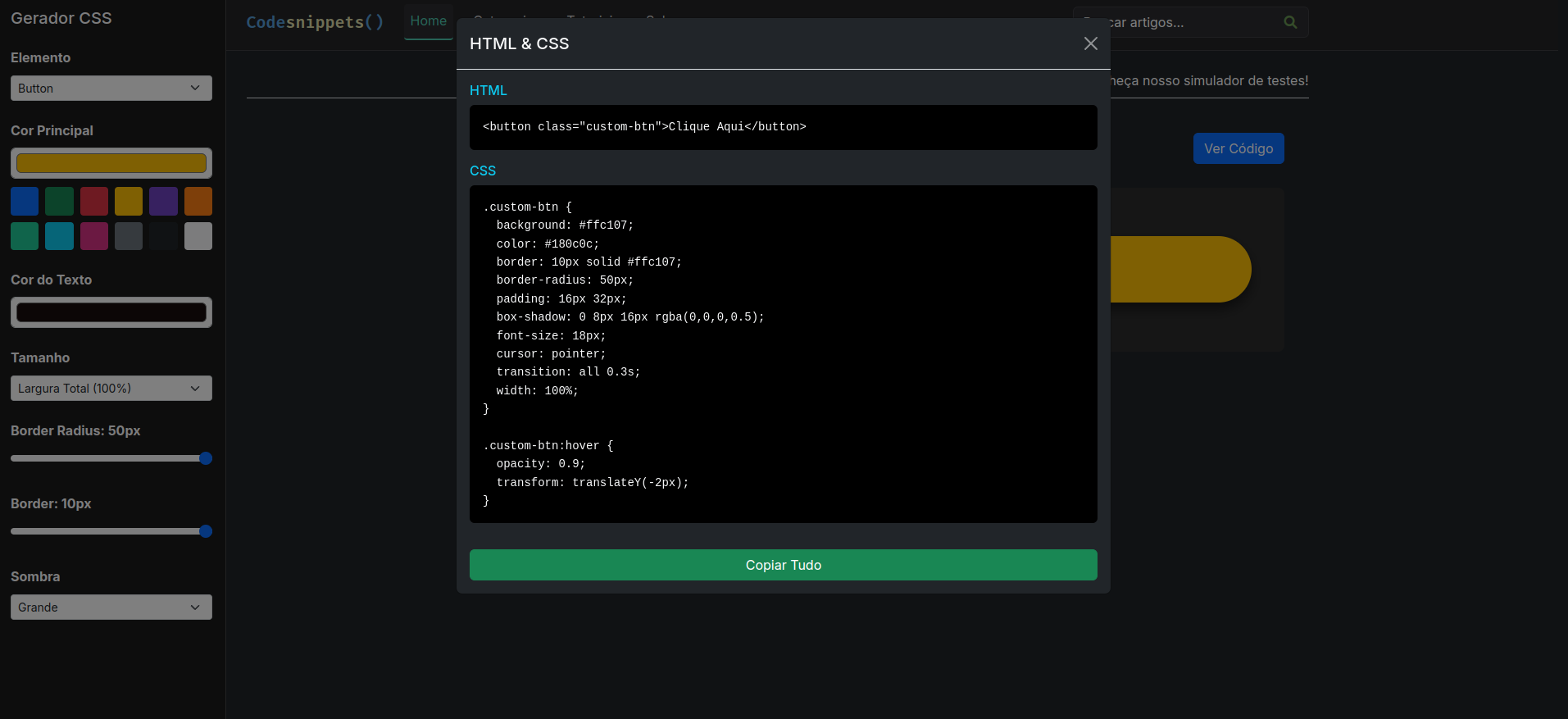
Conheça nosso customizador de elementos bootstrap 5 - https://www.codesnippets.dev.br/ferramentas/custom-elements
Compartilhe este artigo:
